 Weaver
PDF Generation (exp)
Generate complex pdf documents using ai
PDF Generation
PDF generation is an experimental new feature that takes compilable latex code and generates a PDF document.
Follow these steps to start generating PDFs:
- Enable the PDF Creation tool in the input bar
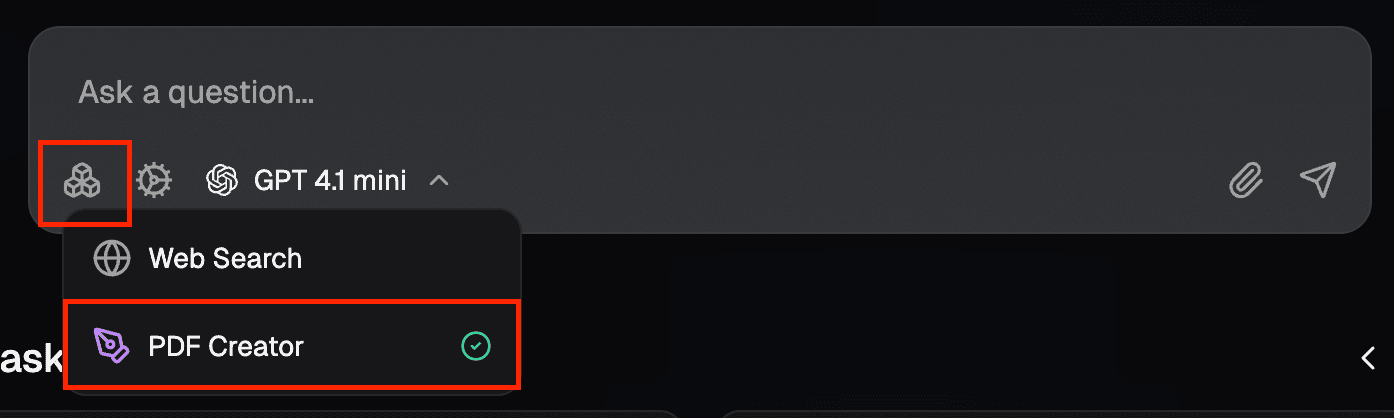
- Send a message telling the AI what document you want to create. Be specific and detailed.
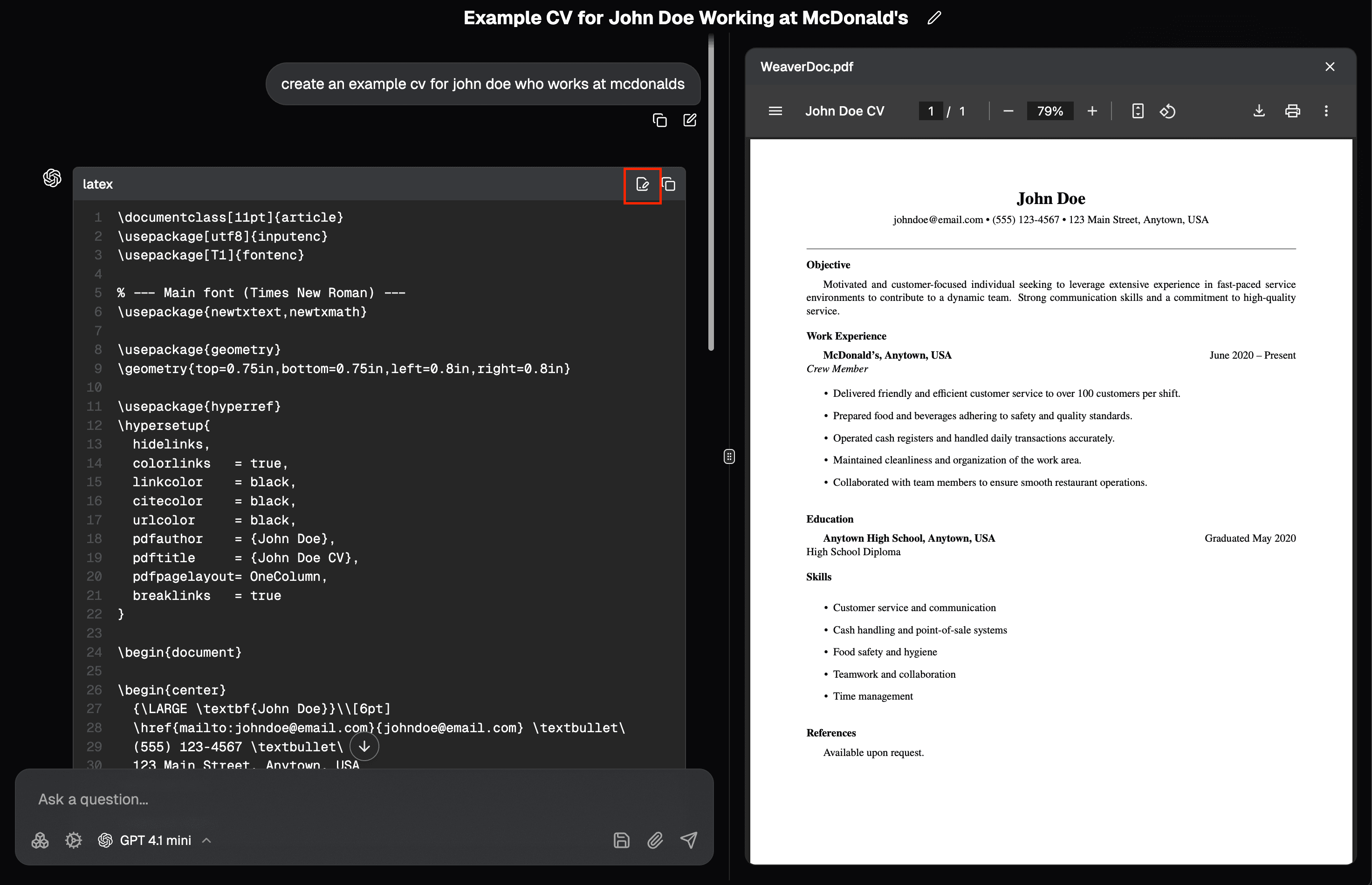
- In the top right corner of the generated LaTeX code block, you will see a button labelled
Generate PDF. Clicking it will open the file viewer and will display the PDF if successfully compiled.
Troubleshooting
If you encounter any errors generating the PDF. Simply ask the ai to fix it while supplying the error message. It is recommended to use a capable code generation model with good instruction following to produce good results.