 Weaver
Setting Up Cloud Sync
Configure Weaver to sync your chats and settings across devices
DISCLAIMER: The database schema and SQL queries shown below may change at any time without notice. Such changes could break syncing functionality. Please check the SQL code in Settings → General → Cloud Sync the most up-to-date schema if you encounter any issues and ensure that any chats and messages are backed up or copied before updating.
Cloud Sync with Supabase
Weaver enables you to synchronize your conversations and preferences across multiple devices using Supabase as a backend.
Prerequisites
- A free Supabase account
- No prior database experience required
Step-by-Step Setup
-
Create a Supabase Account
- Sign up for a free account at Supabase
- Create a new project
-
Configure Your Database
- Navigate to the SQL Editor tab in your Supabase dashboard
- Paste the following code to create the necessary tables:
-
Get Your API Credentials
- Go to Project Settings in your Supabase dashboard
- Under the Configuration section, click on Data API
- Copy the Project URL and Anon Public Key
-
Configure Weaver
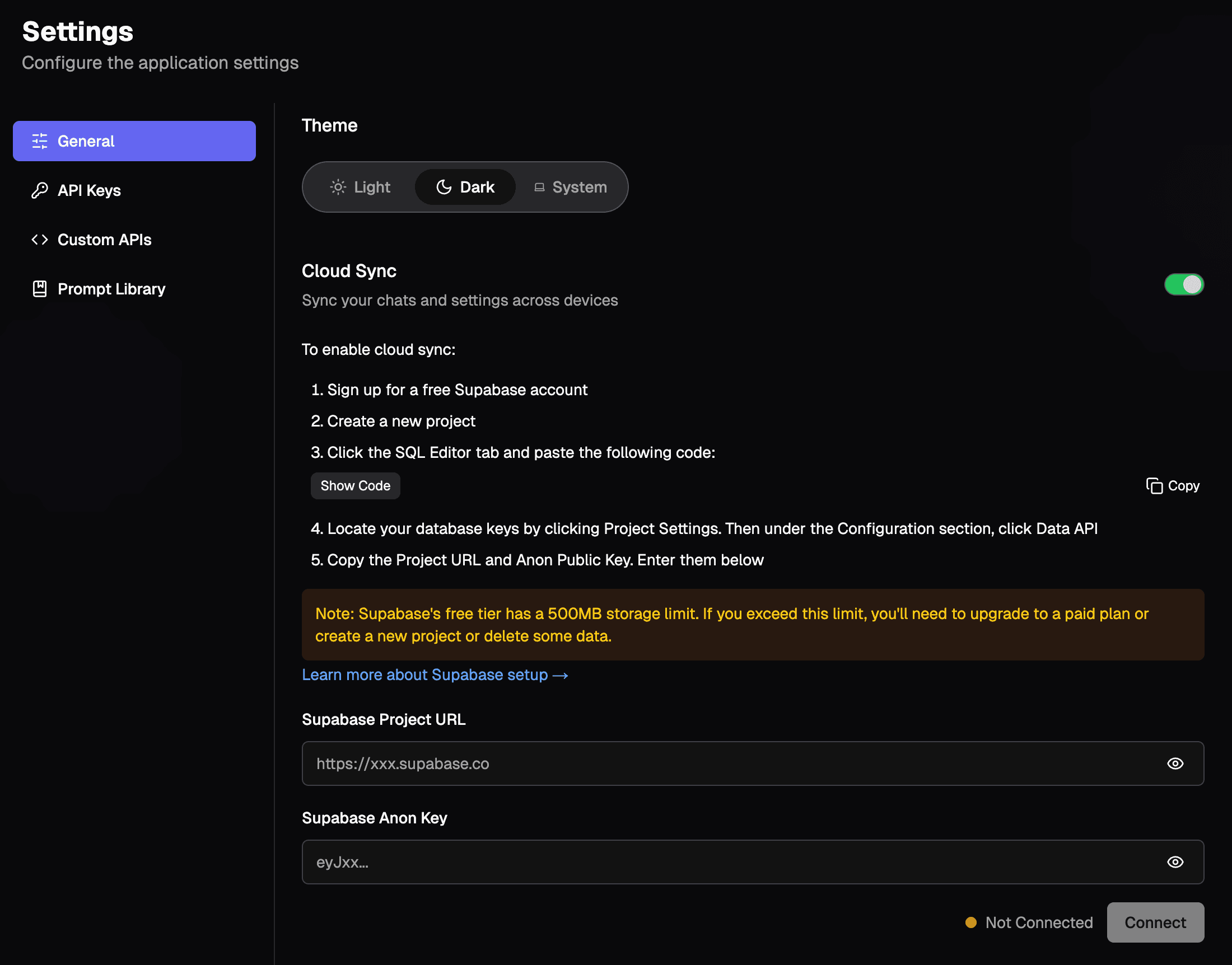
- Open Weaver and navigate to Settings → General → Cloud Sync (toggle on)
- Paste your Project URL and Anon Public Key into the respective fields
- Click Save to enable cloud synchronization
Storage Considerations
- Supabase's free tier includes 500MB of storage
- If you exceed this limit, you'll need to either:
- Upgrade to a paid Supabase plan
- Create a new Supabase project
- Delete some of your chat data
For more detailed information about Supabase configuration, visit the Supabase API documentation.